Posted by Melinda Kolk on Thu, Jul 26, 2012 @ 02:59 PM
The Pics4Learning image library is now integrated into the SNAP search product for education from Tek Data. Pics4Learning is an education-friendly source for over 30,000 copyright-friendly photos teachers and students can use in classroom projects. Students and teachers view over a million images from Pics4Learning every month.
The initial request for Pics4Learning images to be included came from the Los Angeles County Office of Education's Multimedia Services (http://media.lacoe.edu). Multimedia Services uses Tek Data’s SNAP search to provide their membership with “affordable, high-quality multimedia resource to assist student learning.” "We have been challenged to enhance our services and provide fresh media in a time of budget reductions," shares Julie Drake, who heads Multimedia Services. "The indexed search from Tek Data's SNAP allowed us to bring the high quality open content from Pics4Learning into one easy search result for our teachers and students."

“SNAP is a filtered media search engine students and teachers can use to find multimedia content such as videos, maps, journals, and audio files,” shares Tek Data’s Randy Kick. “We worked with the Tech4Learning development team to add Pics4Learning to the list of materials databases site administrators can include in a SNAP search.”
“Over 100,000 students and teachers already use Pics4Learning.com each month. Working with Tek Data to include Pics4Learning images in the SNAP search engine is consistent with our vision for making Pics4learning available to as many students and teachers as possible,” shares Dallas Jones, Chief Technology Officer for Tech4Learning.
Additional information about Pics4Learning is available by contacting Melinda Kolk at 877-834-5453.
Posted by Melinda Kolk on Mon, Jul 02, 2012 @ 03:52 PM
San Diego, California, July 2, 2012 — Wixie, Tech4Learning’s popular student creativity tool, is now available as part of Google’s Education App Packs. The newly released Education App Packs are select groups of recommended web apps for different subjects and grade levels. These packs are available in the Google Chrome store and can be installed from the Chromebook management console.
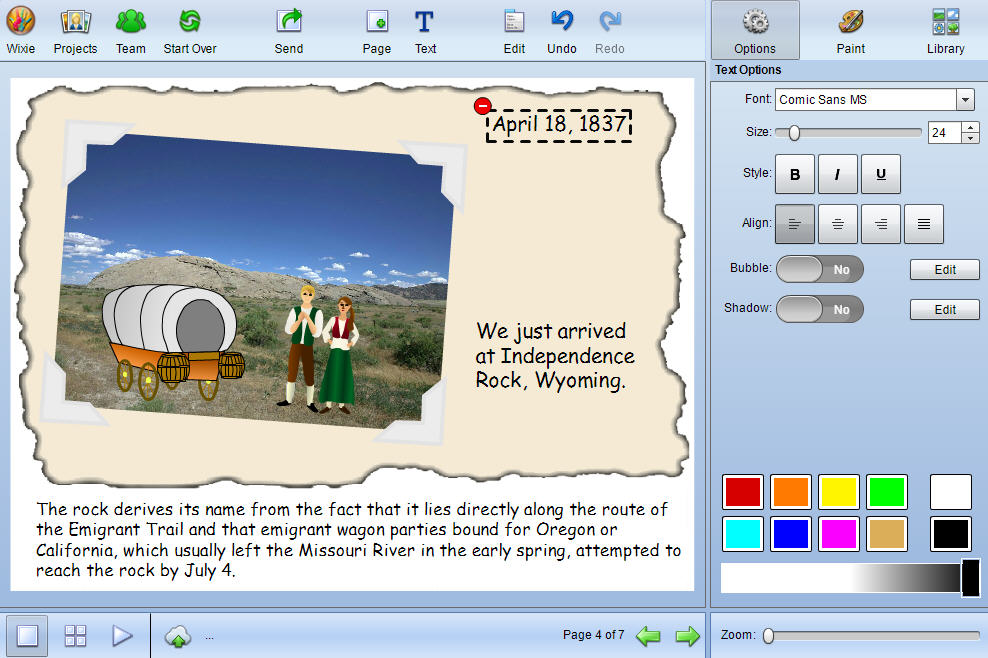
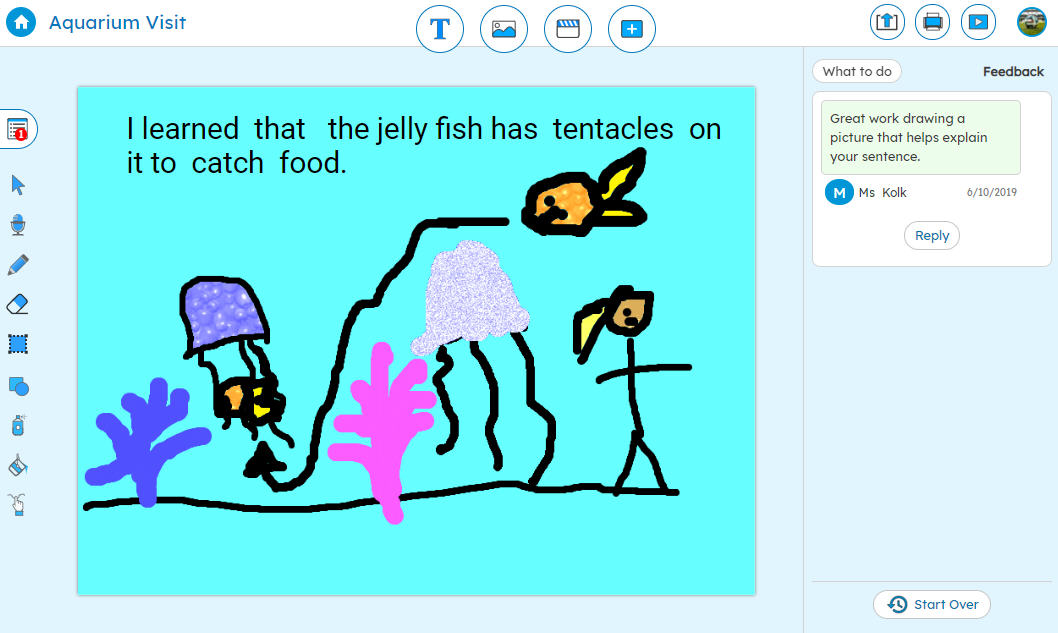
Wixie is a cloud-based tool students can use to paint pictures, write stories, and record voice to explore curriculum and demonstrate mastery. Projects are stored in the cloud, making it easy to distribute a URL and passkey for to share Wixie projects with family and the community.
“The integration of educational apps on the Chromebooks provides a simple way for teachers and students to use their Wixie accounts without additional logins or passwords and the inclusion of Wixie in the Chromebook education app packs makes it even easier to deploy Wixie across a school or district,” explains David Wagner, CEO of Tech4Learning.
Users can install Wixie’s educational app through its Chrome Web Store listing: http://bit.ly/Wixie_GoogleEdPacks
Posted by Melinda Kolk on Thu, Jun 07, 2012 @ 06:30 PM
Tech4Learning has released an update to Wixie that allows organizations to use Google Accounts for authenticating users. Wixie is a cloud-based authoring tool students can use to paint pictures, write stories, and record their voice while exploring and mastering the curriculum. Google Accounts provides a way for third-party applications to authorize users, providing an opportunity for single sign on.

When organizations authenticate Wixie using Google Accounts, users can log in once to Google and seamlessly access their Wixie account without having to reenter a username and password. “We are seeing a greater demand for the use of Wixie on Chromebooks and authenticating Wixie through Google Accounts students are already using gets them working in Wixie as quickly as possible,” explains David Wagner, CEO of Tech4Learning.
More and more, districts are looking to use Google Accounts to access a variety of web applications. With or without the use of Chromebooks, Google Account authentication makes it easier to manage Wixie as part of a suite of web applications in the classroom.
Posted by Melinda Kolk on Tue, May 08, 2012 @ 04:27 PM
Tech4Learning has released the Pixie Home Edition, a trimmed-down version of the award-winning Pixie software, that provides an affordable ($19.95 on Amazon) way to continue the learning at home. Research shows Pixie improves student achievement at school, and now families can promote the same great learning through creativity at home.
Pixie is exciting creativity software that students can use to share their ideas and imagination through painting, combining art, writing, and voice narration. Pixie is a standard software on elementary computers in districts across the United States. “Millions of students use Pixie at school,” shares CEO David Wagner. “We wanted to bring that same creativity and excitement to the home.” Tech4Learning has also developed free Parent Guides for Pixie that include specific activities in for Language Arts, Math, Science, and Social Studies.
“My son really enjoys creating pictures and using all of Pixie‘s cool features. I really like the fact that he can navigate through the program by himself. It was all he talked about when he came home from school last year, and now he gets to enjoy it at home and it didn’t cost us a fortune!” shares parent Susie Winters.
Additional information about Pixie Home Edition is available at: http://tech4learning.com/pxhome
Posted by Melinda Kolk on Wed, Apr 11, 2012 @ 04:25 PM
Tech4Learning has released Frames 5, an upgrade to their award-winning Frames animation and digital storytelling software. Frames makes it easy for anyone to create cartoons, stop-motion, claymation, and digital stories. With version 5, users can now capture of images for time-lapse, path animate frame objects, easily match frame duration to audio, collaborate on projects in real-time, and much more.

“The updated interface and tools in Frames 5, coupled with new features like the ability to group frames and audio into scenes, make it the obvious tool for anyone interested in getting started creating their own animated movies,” explains David Wagner, CEO of Tech4Learning.
“I started using Frames many years ago to create claymations with my first graders, shares Amy Clark of Midlothian, Texas. “I love how the tools are easier to use and see and how the collaboration feature allows my students to all have their hands on a computer and collaborate on a project. My students jumped in with little support, were engaged throughout the project, and didn't want to stop working!"
To learn more about Frames 5, visit the Tech4Learning web site at: www.tech4learning.com/frames
Posted by Melinda Kolk on Wed, Mar 14, 2012 @ 03:40 PM
San Diego, California, March 14, 2012 — Tech4Learning has released an update to Wixie that allows student projects to be viewed on the iPad. Wixie projects now play back in Flash, HTML 5 or HTML depending on the capabilities of the web browser viewing the project.
Wixie is a cloud-based authoring tool students can use to paint pictures, write stories, and record their voice to explore the curriculum and demonstrate mastery. Projects are automatically stored in the cloud, making it easy to distribute a URL and passkey for to share Wixie projects with family and the community.
“Students can now share their work without concern for what device will be used to view it,” shares Melinda Kolk, VP of Curriculum and Professional Development at Tech4Learning, “and now teachers can view and assess student work from their laptops or their iPads.”
“We have been working to make Wixie available to as many devices and users as possible. This is an important step in providing an wide audience for student work,” explains David Wagner, CEO of Tech4Learning.
To learn more about Wixie, visit the Tech4Learning web site at: www.tech4learning.com/wixie.
Posted by Melinda Kolk on Fri, Feb 17, 2012 @ 01:42 PM
San Diego, California, February 14, 2012 — Tech4Learning’s Wixie is now available as an app in Google’s Chrome Web Store (https://chrome.google.com/webstore/). Wixie is a cloud-based authoring tool students can use to paint pictures, write stories, and record their voice to explore the curriculum and demonstrate mastery.
“Wixie has always worked with Chromebooks,” shares Melinda Kolk, VP of Curriculum and Professional Development at Tech4Learning, “and now that you can add Wixie as a Chrome app it is even easier for students to launch Wixie and share their ideas.”
“Because Wixie is a cloud-based product, we are constantly working to make it available to as many devices and users as possible. It shouldn’t matter what hardware a district can afford, but what students can create with the tools they have available.” explains David Wagner, CEO of Tech4Learning.
To find Wixie in the Chrome Web Store users simply need to search for “Wixie” and follow the instructions for adding the app.
Additional information about Wixie is available at http://tech4learning.com/wixie or by contacting Danielle Abernethy at 1-877-834-5453 ext 3345.
Posted by Melinda Kolk on Wed, Jan 18, 2012 @ 04:28 PM
Tech4Learning has released Common Core Curriculum Guides for Pixie to help K-5 educators align creativity, their curriculum, and the Common Core Standards.
The guides include over 100 pages of activities, lesson plans, and classroom stories that provide ideas and strategies for using the creative technology tools in Pixie to meet the Common Core learning goals.
Pixie is educational software students use to share their ideas, imagination, and understanding through a combination of text, original artwork, voice narration, and images.
“Many of our customers are grappling with how best to implement Common Core Standards in a way that addresses 21st century skills,” explains David Wagner, CEO of Tech4Learning. “We put together guides that highlight activities and lessons educators can use to meet the goals of the standards through creative work with technology.”
The Common Core Guides for Pixie include:
- activities and classroom procedures that meet the new standards for grades K-5,
- success stories from educators already using Pixie to meet Common Core goals, and
- creative, high-level lesson plans that engage students and meet multiple standards.
“The guides provide examples of great projects that are already occurring in classrooms around the country,” shared Melinda Kolk, Director of Professional Development. “We hope these stories will inspire even more teachers to engage students in high-level, creative project work.”
More information on the common core guides can be found at: http://web.tech4learning.com/meet-common-core-standards-with-pixie/ or by contacting Kristen Yazbek at 877-834-5453.
Posted by Melinda Kolk on Wed, Jan 11, 2012 @ 06:27 PM
Tech4Learning has released an update to Wixie that makes it easy to track student progress toward achievement of Common Core Standards. Wixie is an authoring tool students can use to paint pictures, write stories, and record their voice to explore the curriculum and demonstrate mastery.
With the update, teachers can assign activities specific to Common Core Standards and attach Common Core Standards to student projects in Wixie. Teachers can track progress towards the standards and assign activities to individual students in order to develop mastery.
“Hundreds of the activities in Wixie have been correlated to Common Core Standards,” shares Melinda Kolk, Director of Curriculum Development at Tech4Learning, “and Wixie’s new management tools make it easy for teachers and administrators to view and evaluate student work, and differentiate instruction as students progress toward mastery of these standards.”
“With the addition of the Common Core Standards, Wixie continues to evolve as a core curriculum product, instead of nice to have technology supplement,” explains David Wagner, CEO of Tech4Learning.
Because Wixie is a cloud-based product, the Common Core integration with Wixie is immediately available to all current Wixie subscribers.
More information about Wixie is available at: www.tech4learning.com/wixie or by contacting Kristen Yazbek at 877‐834‐5453.
Posted by Melinda Kolk on Fri, Nov 18, 2011 @ 05:30 PM
In a five state study of third through fifth graders conducted by SEG Measurement, students demonstrated significant growth in Reading and Mathematics when using Pixie®, a creativity software tool from Tech4Learning, Inc. Tested on the SAT10 achievement tests, students in the treatment group demonstrated a half year more growth in Reading and Math than students in the control group.
Pixie is educational software students use to share their ideas, imagination, and understanding through a combination of text, original artwork, voice narration, and images.
“It is crucial to get an accurate view of the effectiveness of Pixie on academic growth in the classroom,” said Scott Elliott of SEG Measurement. "This research shows that using Pixie as part of instruction produces much greater growth in reading and mathematics skills."
Key Study Findings:
- students in classes using Pixie increased their SAT 10 Reading Comprehension scale-scores by 14 points.
- students in grades 3, 4 and 5 who used Pixie between 1-2 hours a week showed about a half year’s more growth in Reading Comprehension and Mathematics than their peers who did not use Pixie.
"This research report clearly shows the profound impact of Pixie on student learning, we hope more schools will grow to benefit from using Pixie in the classroom.” David Wagner, CEO.
About SEG Measurement
SEG is an independent research firm providing research, evaluation, and assessment services to educational publishers, educational technology providers, assessment service providers and government agencies. SEG has been meeting the research and assessment needs of organizations since 1979.
SEG Measurement is located in New Hope, Pennsylvania and can be accessed on the web at www.segmeasurement.com.
More information on the study can be found at: http://www.tech4learning.com/pixie/research or contacting Kristen Yazbek at 877-834-5453.